wyvote2020-voter
WYVote2020 Voter Application
Instructions to use
Step 1
The voter will be assigned a mnemonic or wallet address and password after registering for elections.
This is taken as a input to log in.
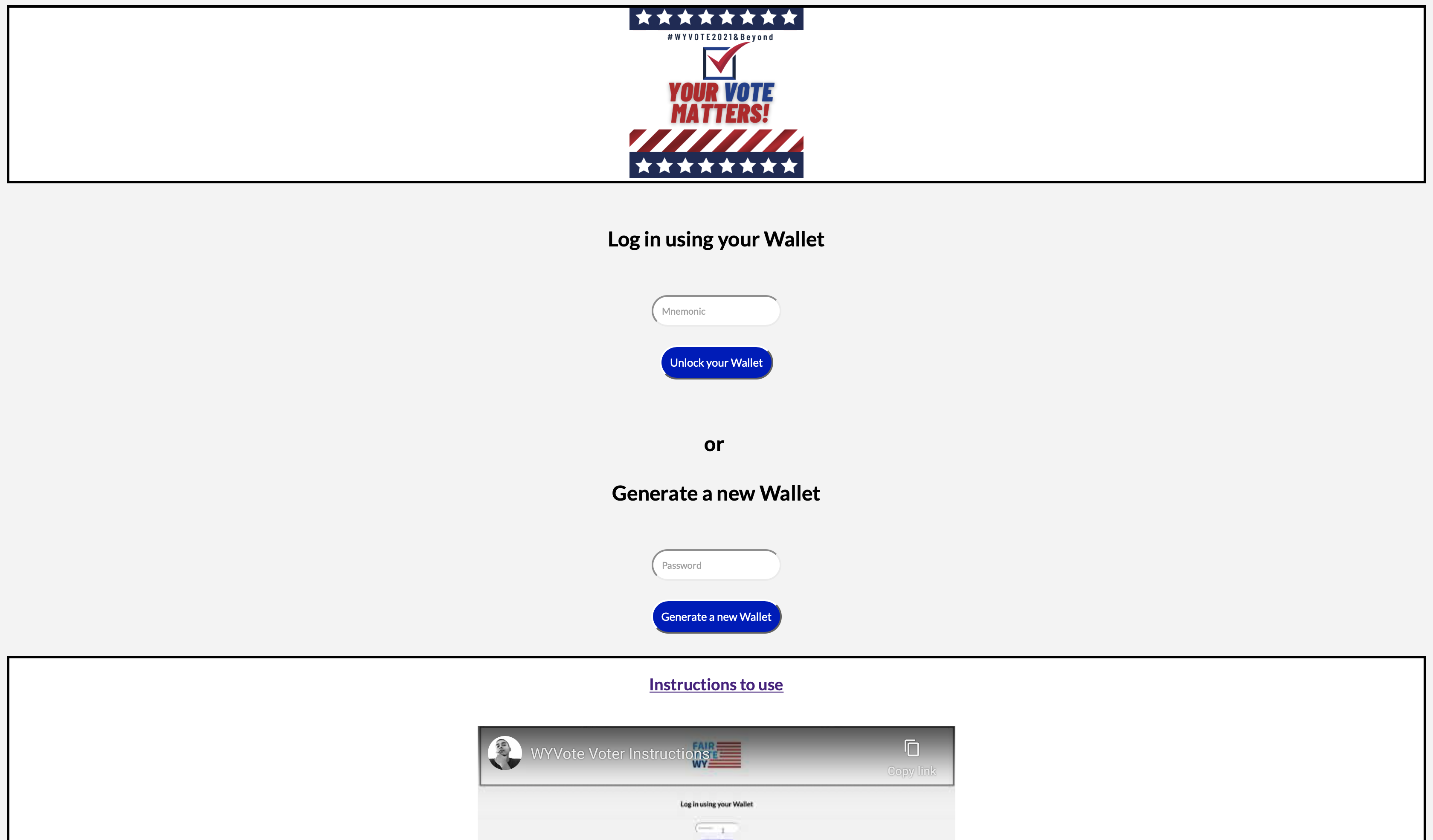
- Add the mnemonic in Mnemonics placemholder and press “Unlock your Wallet”
- If you don’t have a wallet, click on “Generate a new Wallet” after entering a unique password. This will generate a new wallet with 0 balance. Though vote registered from this wallet will not be taken into considered while counting total votes by the Election Commission as it was not registered earlier.
USE MNEMONIC (with balance) :
blue horn cabin absent rigid chronic field upset weird nephew try rescue
Screenshot:
Step 2
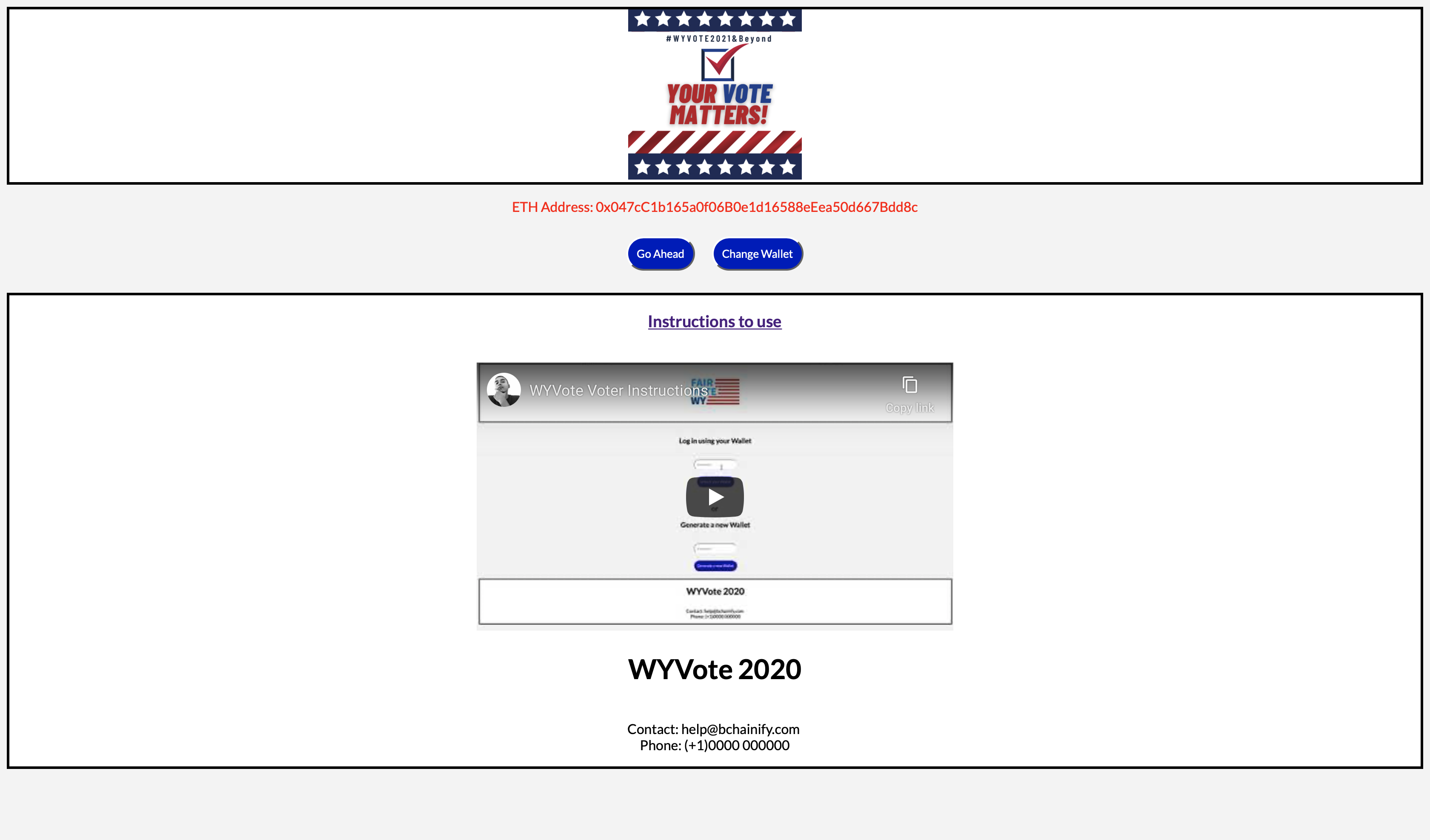
Confirm your ETH Address
- Select to “Go Ahead” once you confirm
- Else select “Change Wallet” and enter your mnemonic again
Screenshot:
Step 3
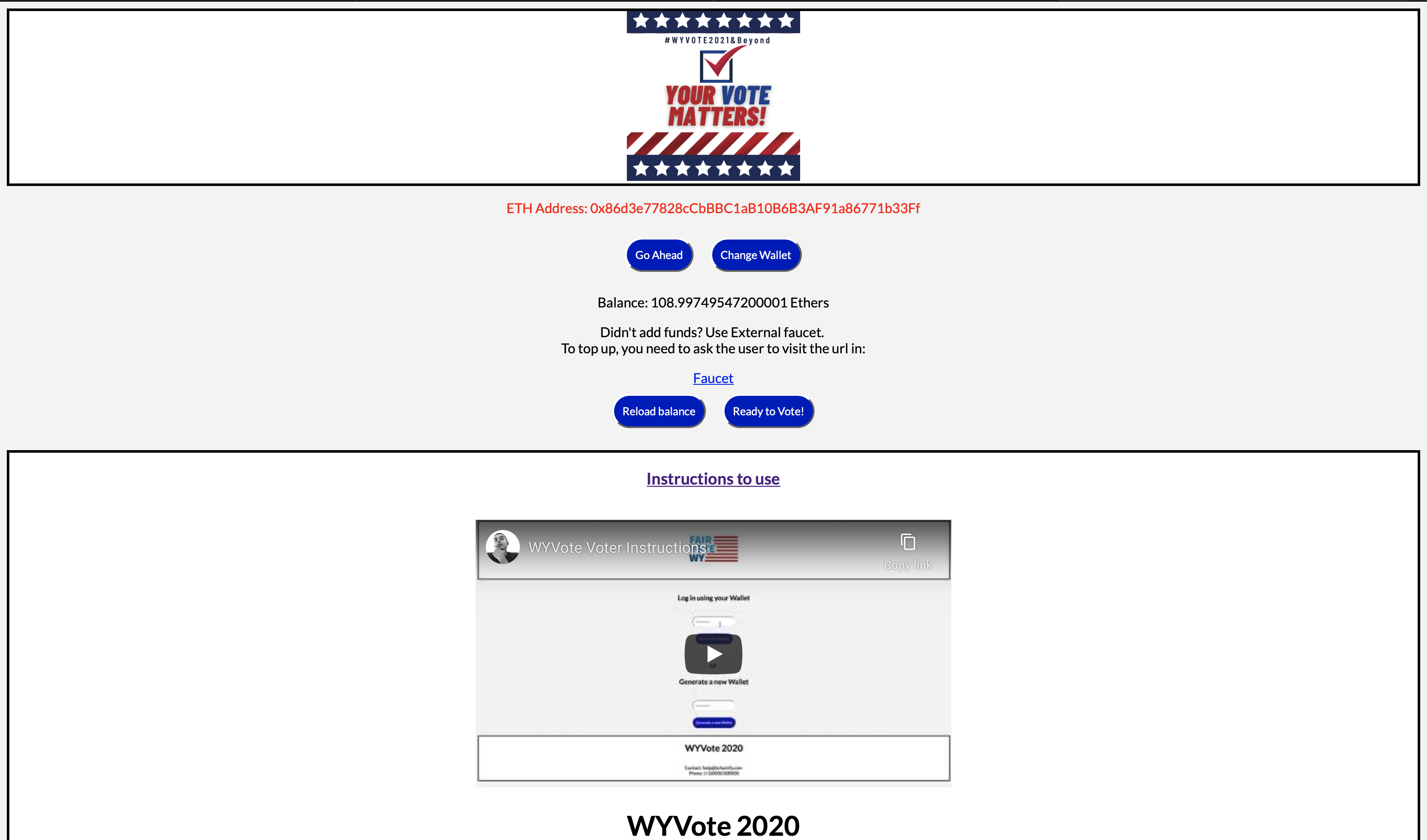
Check for funds
- To successfully vote, you need some funds in your wallet (for gas).
- If the balance is 0 ETH, go to Faucet
- “Reload balance” once you added funds
- Now that you have funds in your wallet, select “Ready to Vote!”
Screenshot:
Step 4
Vote for the candidate of your choice
Step 5
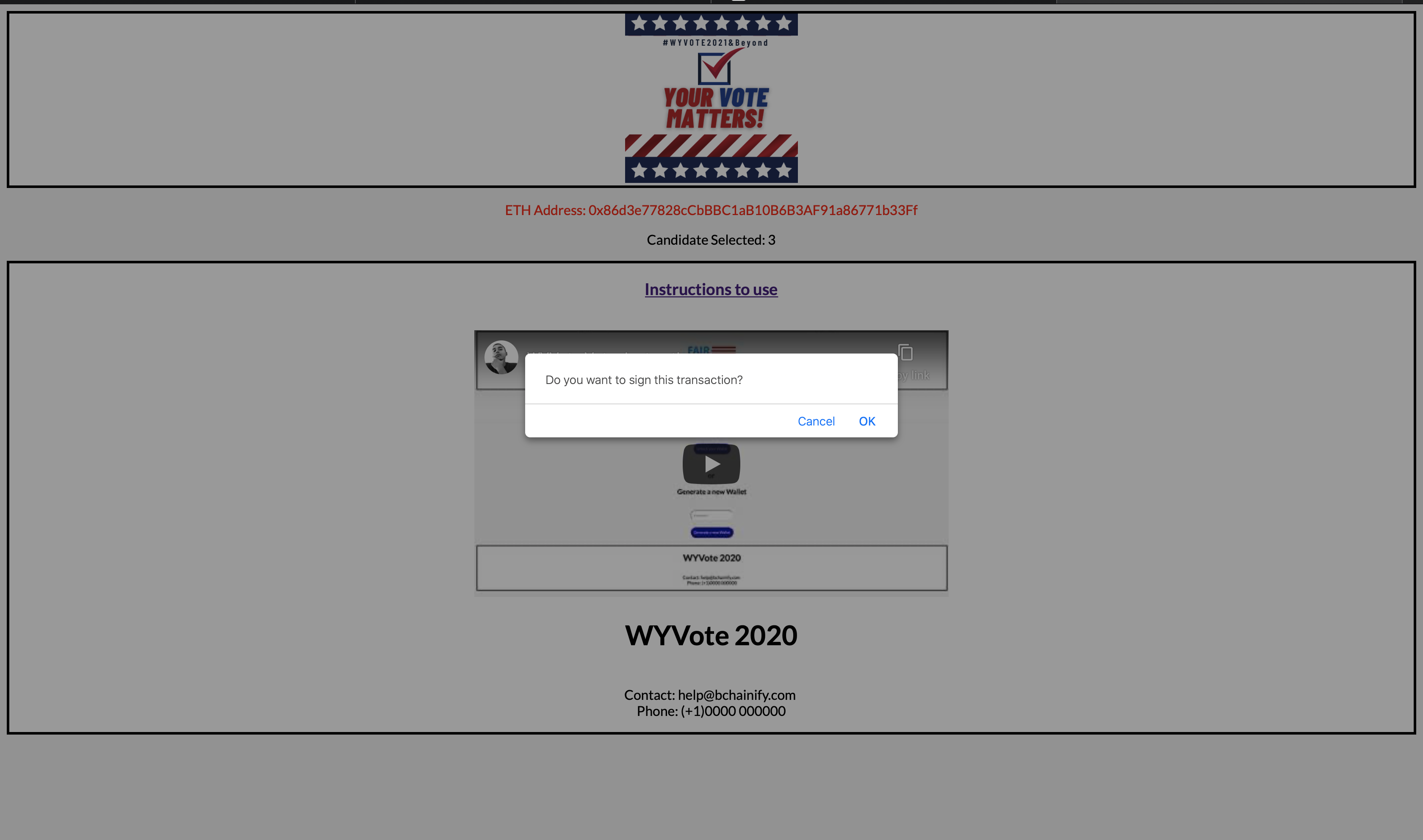
Confirm the candidate that you’ve voted for on the screen and sign the transaction from the pop-up.
Screenshot:
Step 6
Get the confirmation.
- Note down the hash code
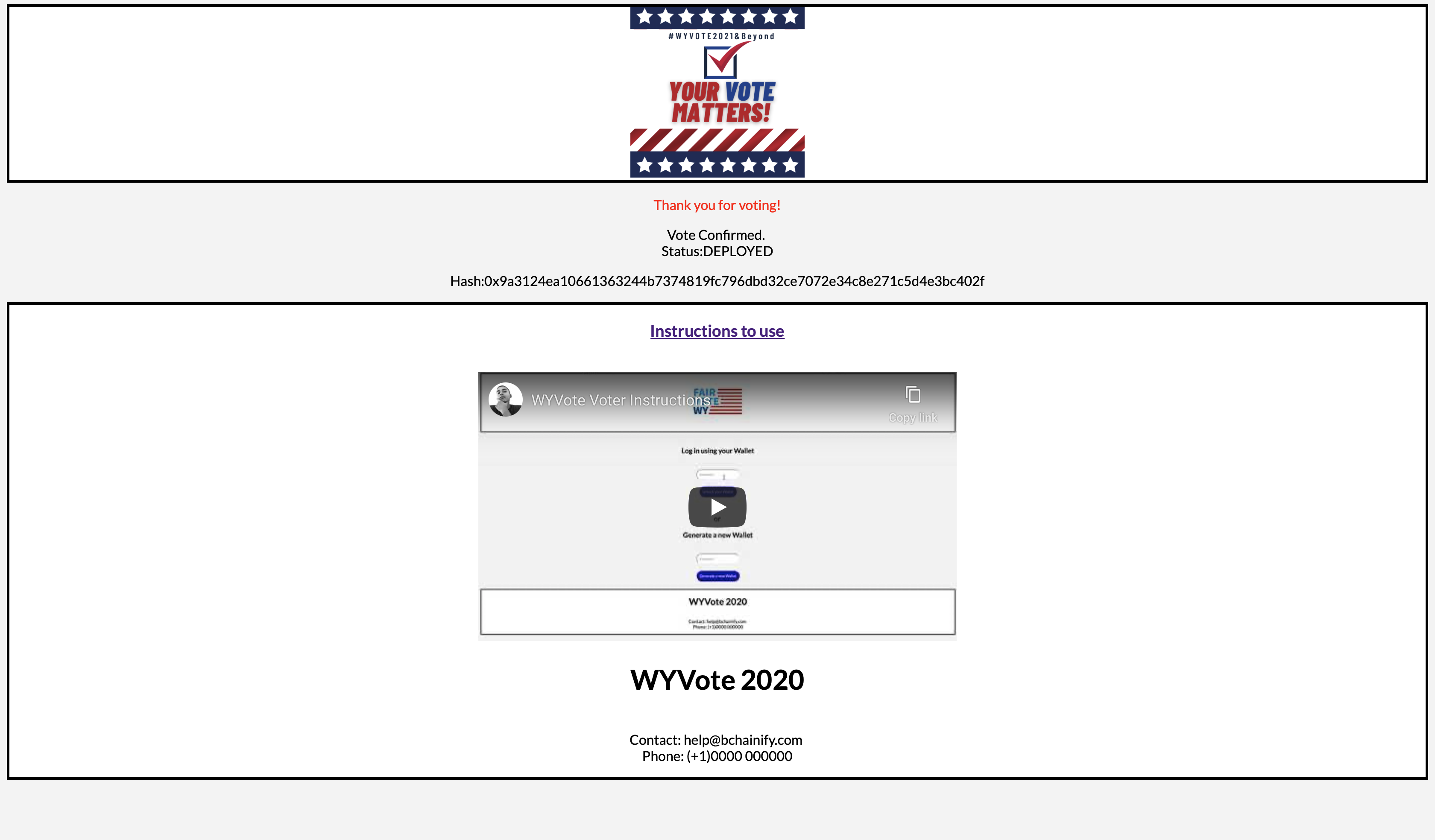
Screenshot: